
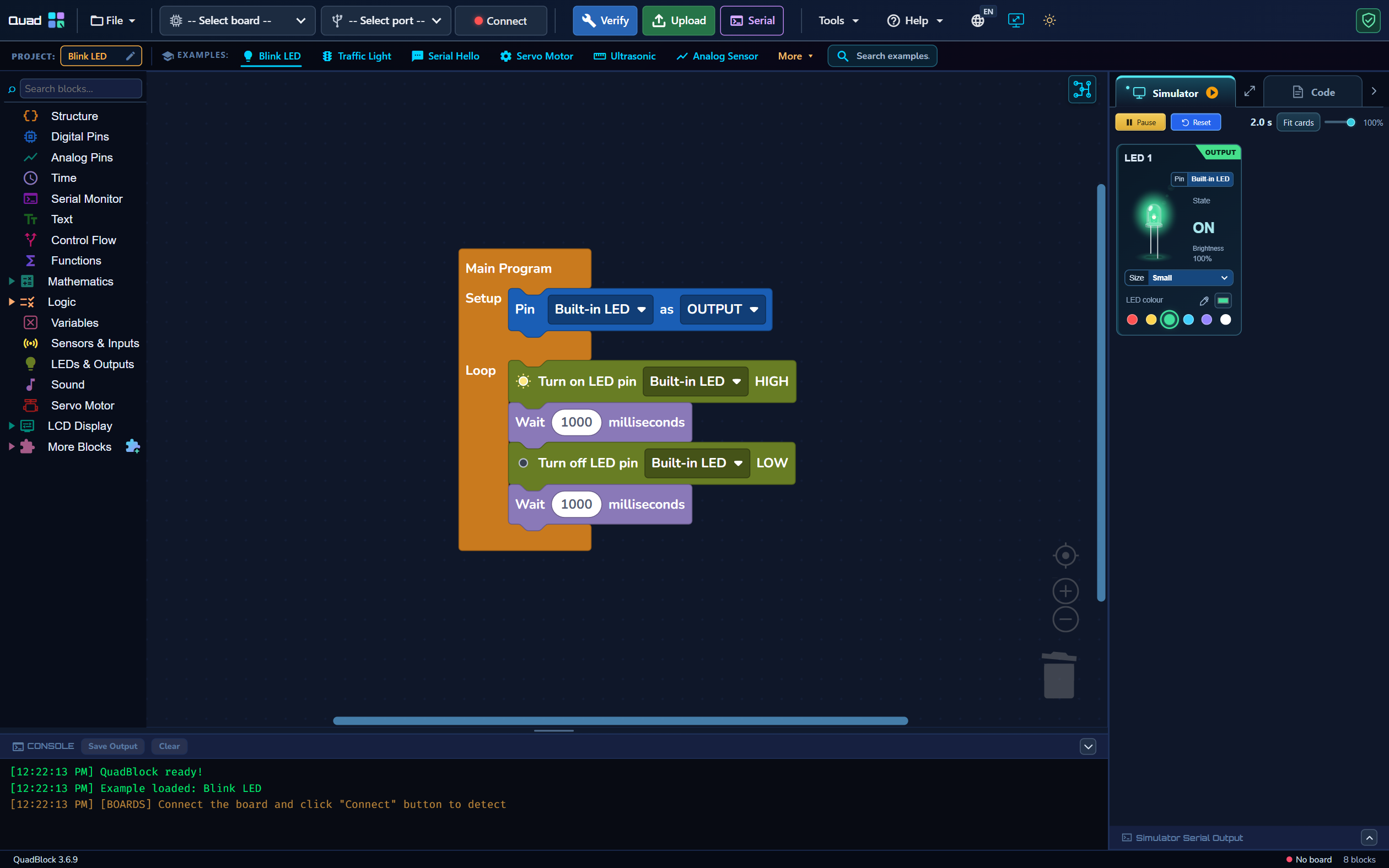
Begin with one output
Open the Blink LED block program and select the matching board. Confirm Setup configures the output and Loop contains both state changes and waits. Open Simulator and watch the LED card. Record the expected ON duration and OFF duration before changing the program. This makes the check repeatable.
Check the sequence deliberately
- Confirm the LED turns ON and OFF in the expected order.
- Pause to inspect the current card state.
- Resume and confirm the sequence continues.
- Use Reset when you want to start the virtual run from its beginning.
- Change a wait value, then confirm the new interval matches the edited logic.
A supported visual result does not establish precise real-time performance on every computer. Treat waits as program behavior to inspect, and test timing-sensitive hardware on the actual board.
Test a sensor condition at its boundary
Build the A0 potentiometer project and add an IF condition around a threshold of 512. Try virtual readings of 0, 511, 512, 513 and 1023. Check both branches and decide what should happen at equality. A test only at zero or maximum can miss an incorrect comparison near the threshold.
Use serial output as evidence
Print a short label and the value your condition uses. Open Simulator Serial Output and confirm it agrees with the virtual input. The main console reports application actions such as build and upload; the simulator’s serial area reports the virtual program. The physical Serial Monitor is a separate view of data from the connected board.
Move from virtual logic to hardware
After the virtual checks pass, inspect Code, Verify and Upload to the selected board and port. Check wiring, component ratings and power separately. Real sensor noise, motor current and wireless connection behavior require physical tests. Simulator success does not replace these checks.
Keep a small list of expected cases: normal input, boundary input, missing connection and an explicit reset. When a result differs, change one variable at a time. Read the simulator guide and its limitations before treating a virtual result as hardware validation.