
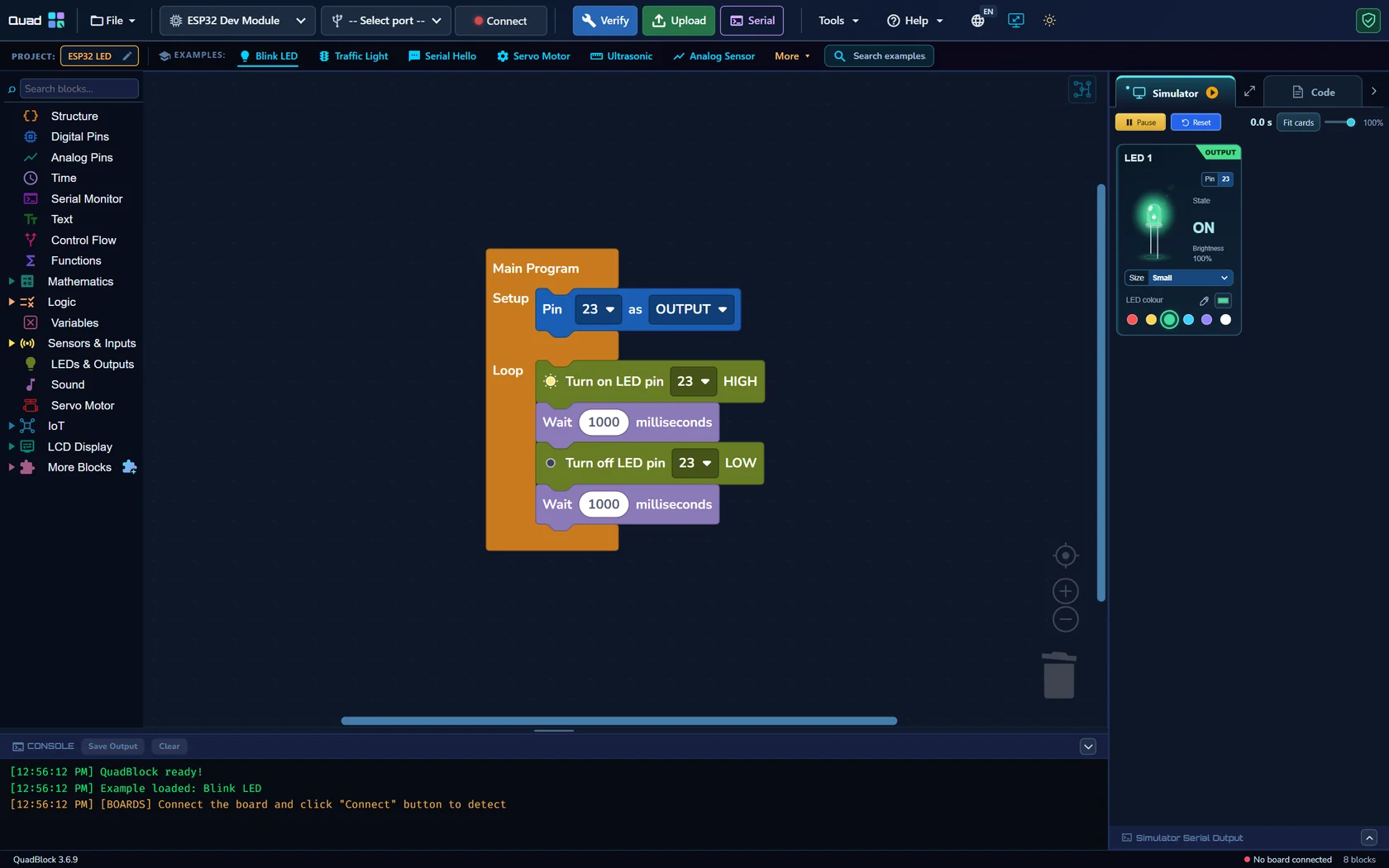
Prepare a known working output
Use a classic ESP32 Dev Module with an external LED on a suitable output such as GPIO 23, when available. Connect GPIO 23 through a 330 Ω series resistor to the LED anode, with the cathode to GND. ESP32 uses 3.3 V logic. Select the exact board, and first verify that a simple HIGH/LOW program controls this LED.
Connect to Wi-Fi first
Follow the ESP32 Wi-Fi block tutorial. Start Serial, configure the network, attempt connection with a timeout and print the assigned IP address on success. Place phone-page startup after the successful connection. An IP printed by the physical board is the address to use; a simulator value is not evidence of a real network service.
Build two phone commands
- Configure GPIO 23 as OUTPUT and set it LOW initially.
- Start the local phone control page after Wi-Fi connects.
- Add an LED ON button with a distinct command such as on. In its handler, set GPIO 23 HIGH.
- Add an LED OFF button with command off. Set GPIO 23 LOW in its handler.
- Keep command names consistent and include any required server-processing blocks provided by the example.
Use the phone-control example appropriate for your selected ESP32 board. If you adapt an UNO R4 example, remove built-in matrix instructions and replace pin choices with compatible ESP32 GPIO.
Open the page on your phone
Verify and Upload, then read the real IP address in the physical Serial Monitor. Connect the phone to the same local network and enter the board’s address in its browser using the protocol shown by the example. Press ON and OFF and watch the real LED. No separate phone application is required for the local browser page.
If the page does not respond
Check that the ESP32 remains connected and powered, the phone is on a reachable local network, and the IP address has not changed after reconnecting. A guest network may isolate clients. If the page opens but the LED does not react, check command matching, pin assignment and wiring. This local page is not a remotely hosted website and is not automatically accessible outside your network.
The website’s interactive phone illustration explains the idea; it does not control a visitor’s board. Use actual hardware to validate the complete network path.